AI Content · 2026
AI Film Storyboard Production Workflow
A workflow that takes a director’s screenplay and hand-drawn storyboard and turns them into storyboards of more than a hundred shots per act, with the drawing style, characters, and spaces held fixed.
OutcomeBuilt the workflow for Acts 2, 3, and 4 — prompts and generation queue ready for all 143 shots of Act 4
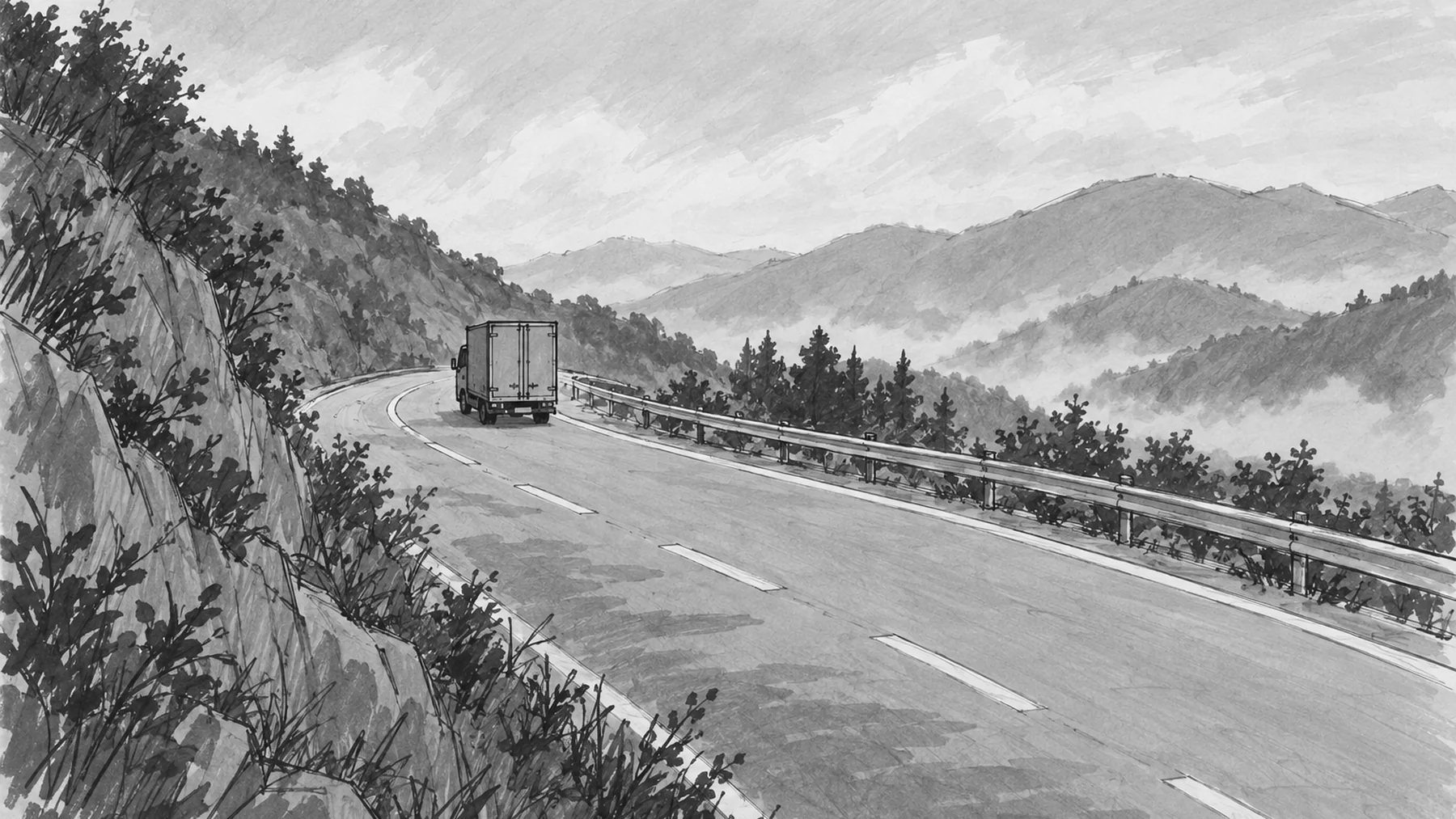
The images on this page are new examples generated for explanation. The film’s actual storyboards are not shown.
What the Director Hands Over
The director gives me two things: a 72-page screenplay PDF and a storyboard sketched quickly by hand in a notebook. Each shot has only a few small frames and some directions; it isn’t something you could shoot from as is.
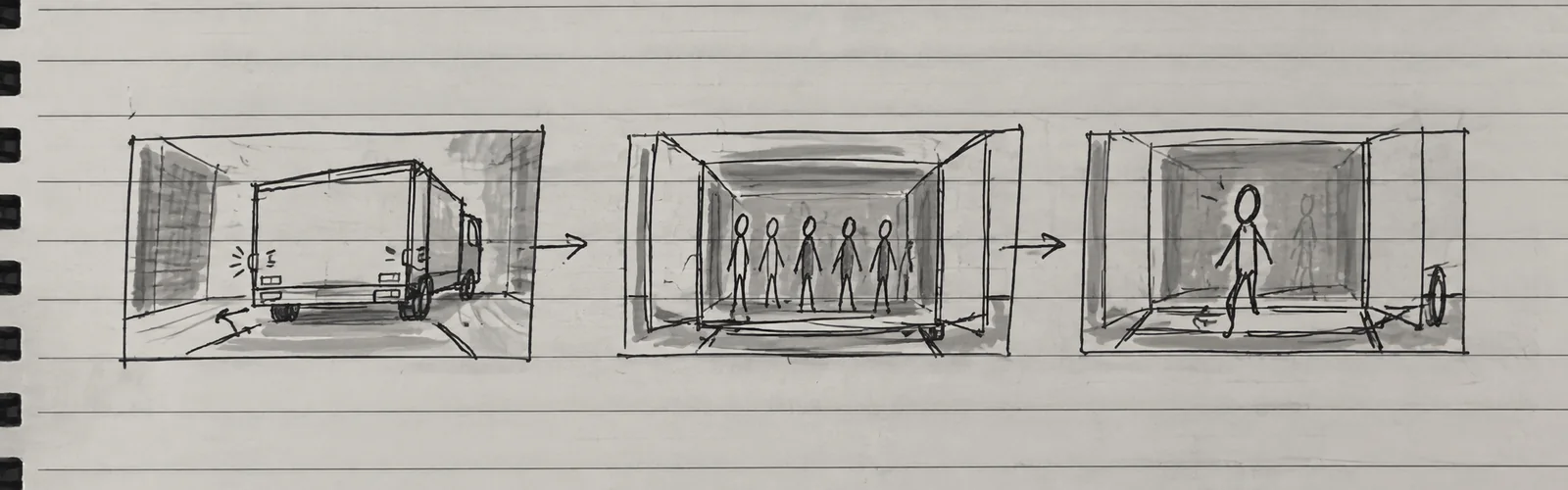 An example that redraws one shot from the hand-drawn storyboard. A truck backs in, the cargo bed opens, and humanoids come into view: a line of direction and a rough sketch are all there is.
My job is to turn these hand drawings into a shooting storyboard — at 90 or 143 shots per act. Act 4 alone was 34 storyboard pages, which broke down into 143 shots.
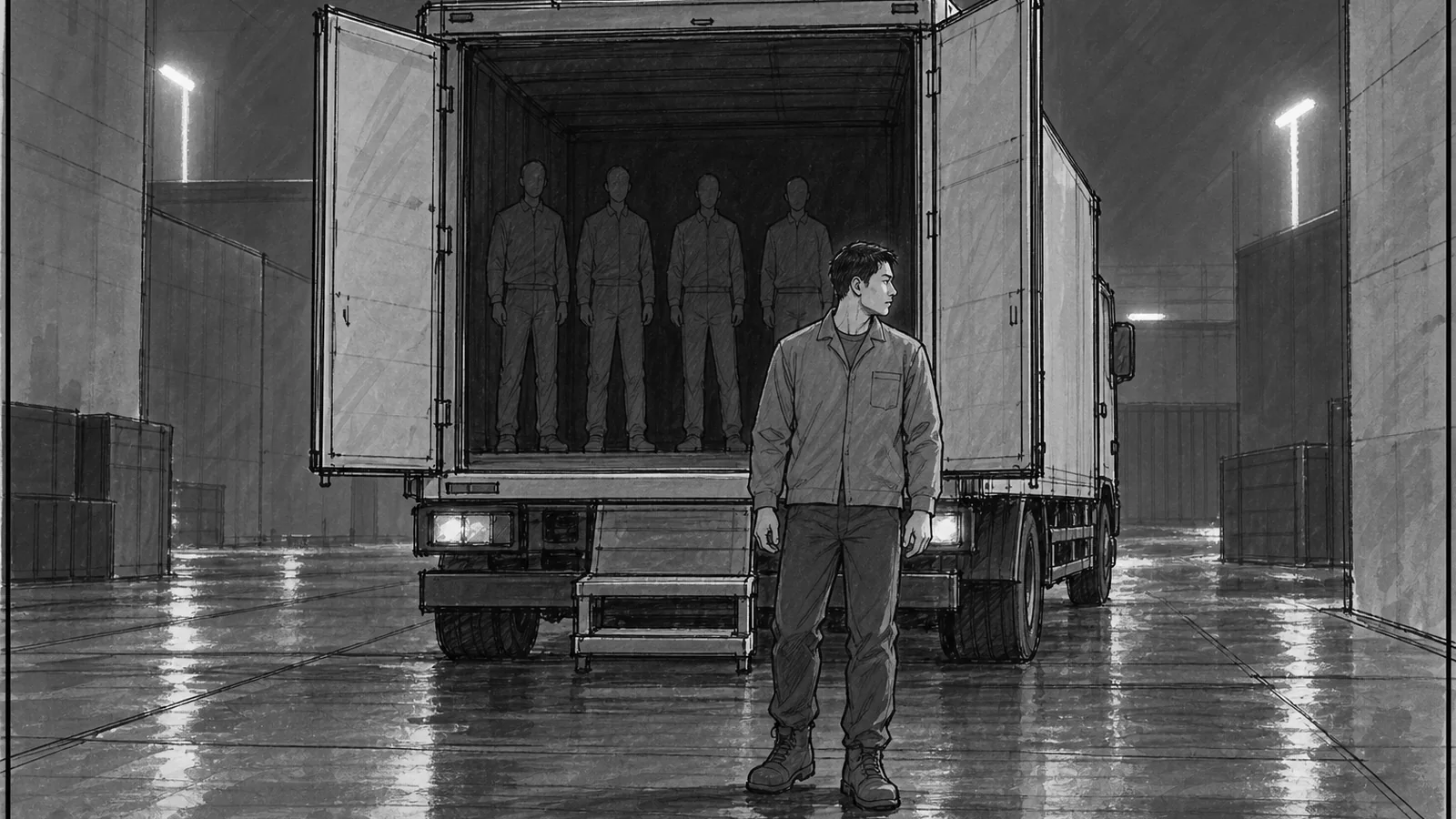 A frame that recreates, in the same tone, the result of the same shot after it passes through the workflow. It keeps the shooting-storyboard look of pencil lines and gray marker shading, and the blocking in the directions becomes the picture as written.
From Screenplay to Shot
I turned the path from screenplay to shot images into a repeatable pipeline.
I drew the same pipeline three ways: the order of the five stages, who handles what and when, and the path by which one shot becomes one prompt.
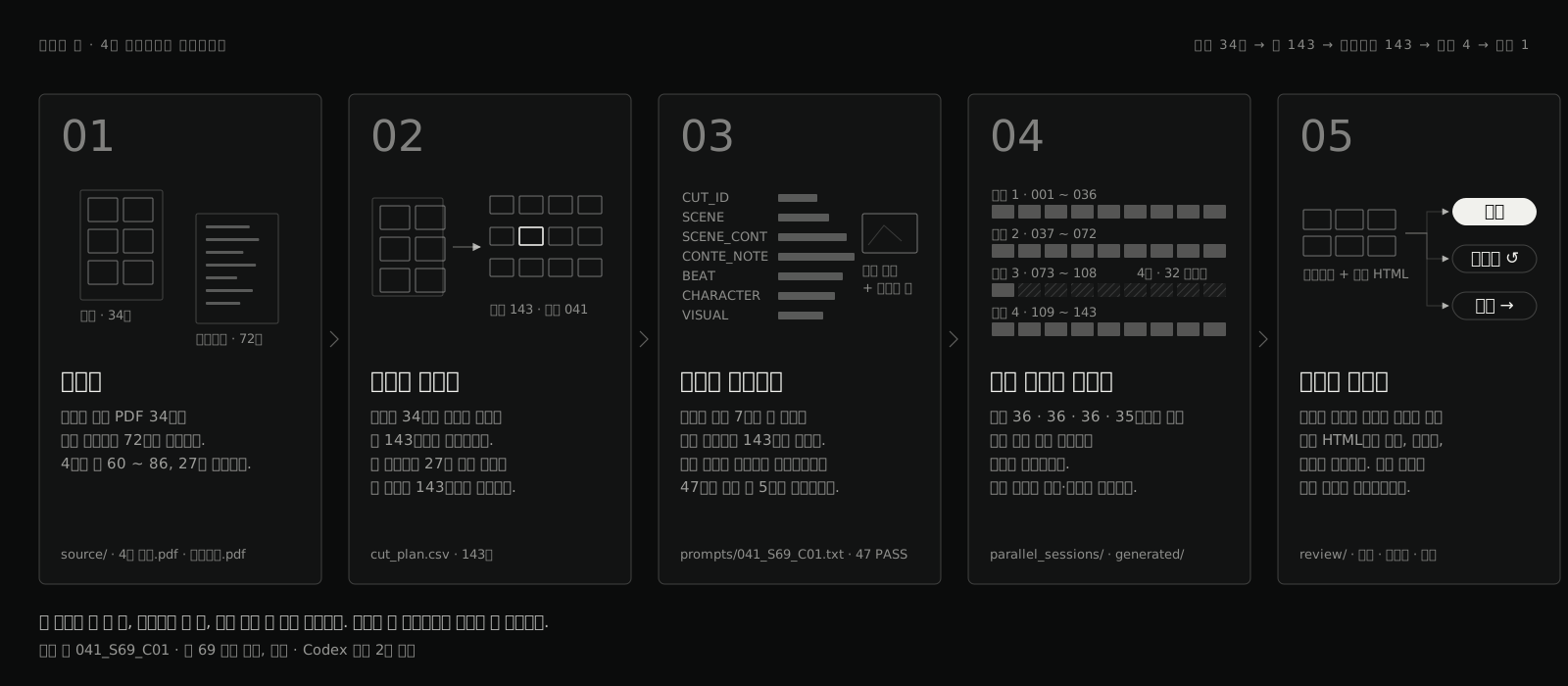 The pipeline in five stages. Receive and split, make a prompt for each shot, generate in four sessions at once, and filter by review. Each shot leaves one table row, one prompt, and one line of session notes.
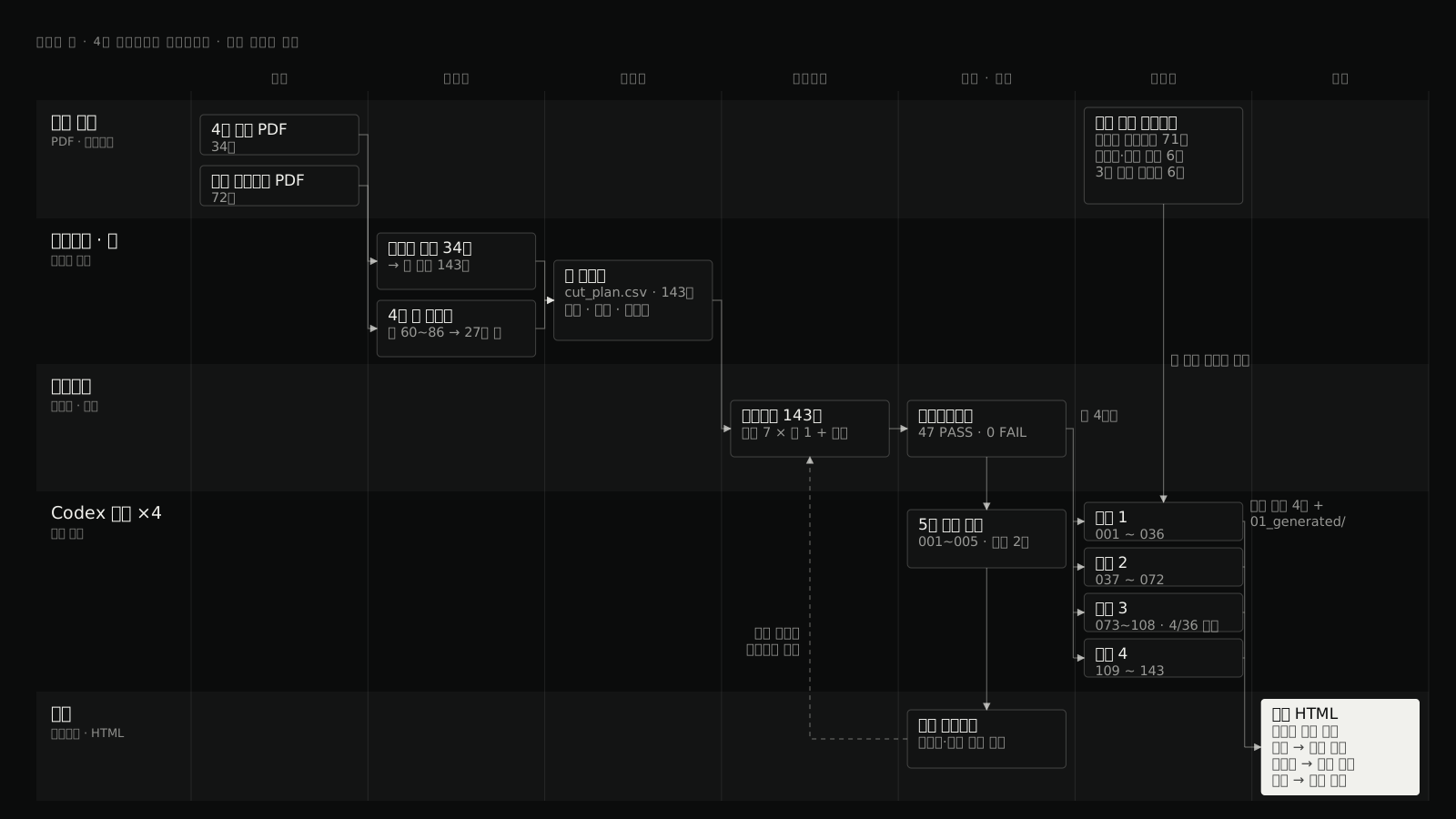 Who handles what and when. The five lanes are source material, scripts and tables, prompts, the four Codex sessions, and review. The dotted line from the test contact sheet back to the prompts is the correction loop, and the four sessions receive the same queue format and the same attachments.
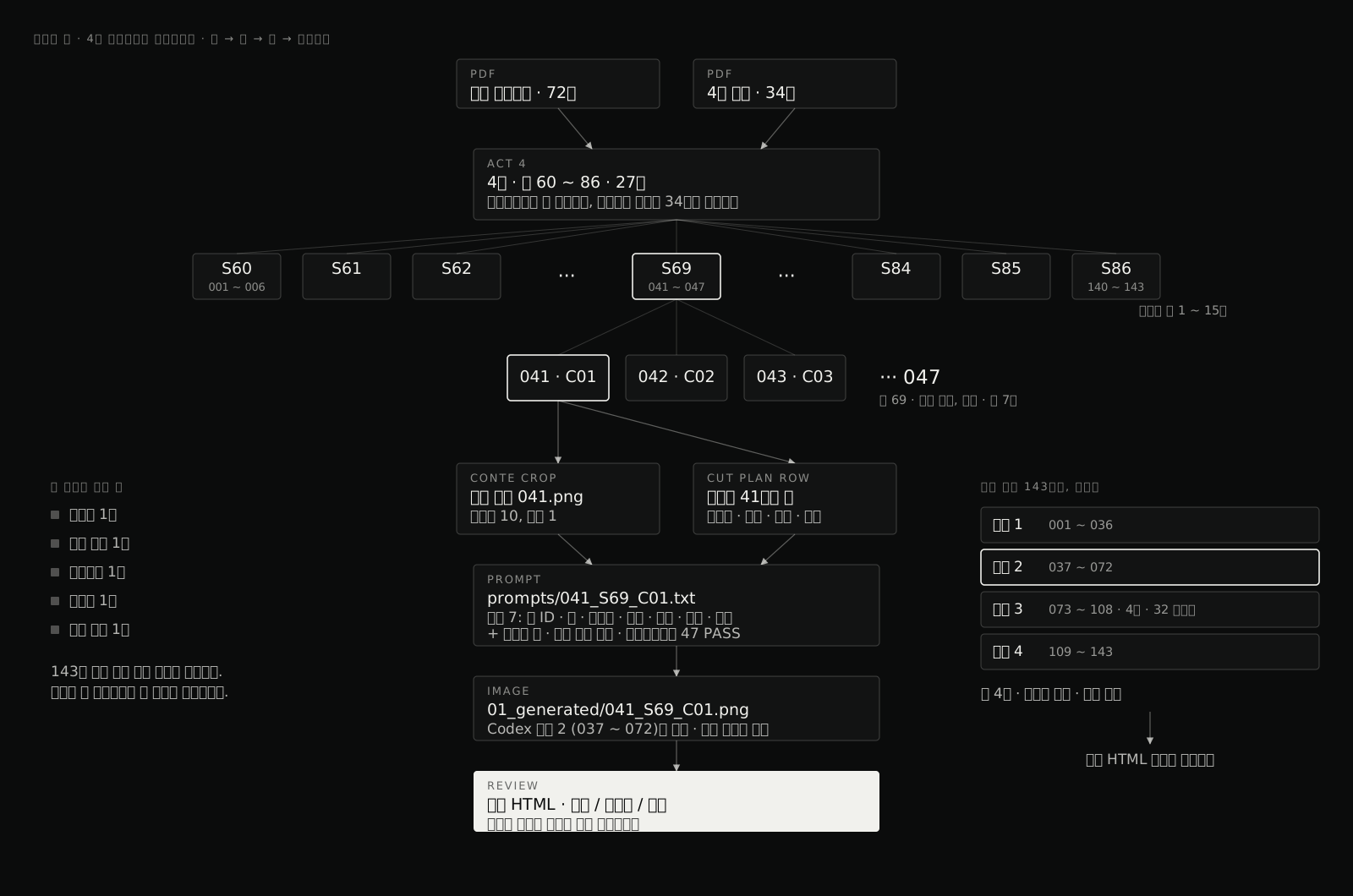 The path of one shot. Of the 27 scenes in Act 4, scene 69 branches into 7 shots, and one of them, 041, passes through one storyboard crop and one shot-plan row down to one prompt, one image, and review. The same thing happens for all 143 shots at once.
- Source extraction — Pull page images and the full text from the storyboard and screenplay PDFs, and see everything at a glance on contact sheets.
- Shot cropping — Cut each shot’s hand drawing out of the storyboard pages and line them up as each shot’s primary reference. 143 images for Act 4.
- Locking the baseline — Nail down characters, spaces, and tone with a character bible and a story-lock document.
- Prompt generation — Combine the shot plan with a prompt template to produce prompts for all 143 shots in one pass. The template has slots for scene continuity, character continuity, the director’s original directions, and the screenplay beat.
- Parallel generation — Split the shots into 4 session queues (36, 36, 36, and 35 shots) and run them at the same time.
- Side-by-side review — In a review HTML that places the hand-drawn original next to the generated result, decide whether to accept, revise, or regenerate.
- Staged scale-up — Once preflight validation passes, generate just 5 shots first to check style and aspect ratio, then move on to the main run. If you find the style has drifted after making all 143 shots, there is no way to undo it.
Three Things I Locked
What breaks down as the shot count grows is predictable: drawing style, faces, and spaces.
Drawing style — I bundled 71 style frames I had already approved into one contact sheet and attached it to every generation as a style pack. I also fixed the same sentences in the prompt: rough pencil lines, thin black lines, gray marker shading, a single 16:9 panel. I spelled out what it is not, too: not a webtoon panel, not a poster, not finished concept art, no speech bubbles or subtitles.
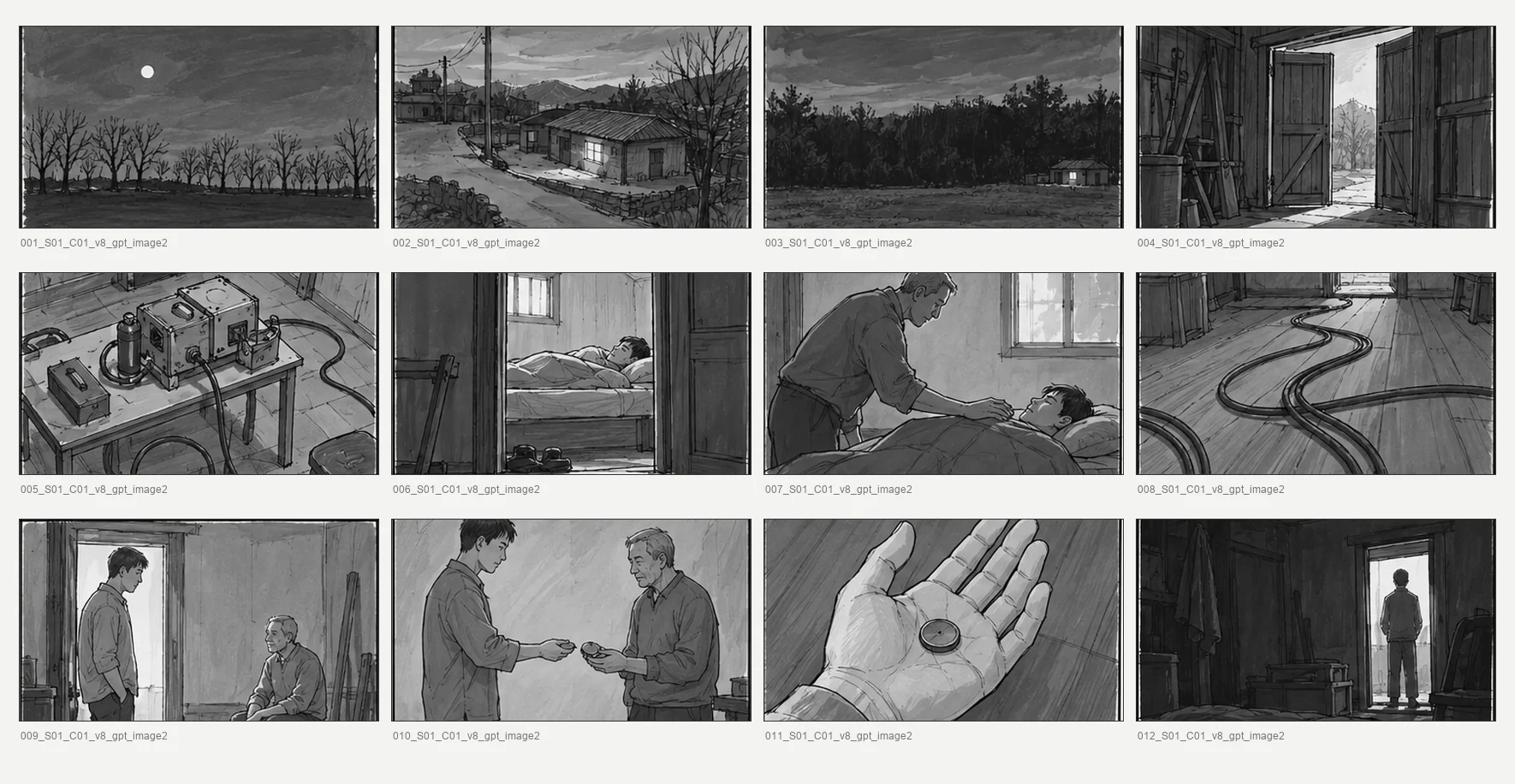 A sheet that recreates, the same way, the first three rows of the style reference pack attached to every generation. A new shot is accepted only if it looks like one of the drawings in it.
Faces — For each character I made a character bible recording appearance and acting tone, plus a character sheet, and attached them to every generation. The protagonist, Isaac, changes condition over the course of the story, so I kept separate sheets for before and after the damage.
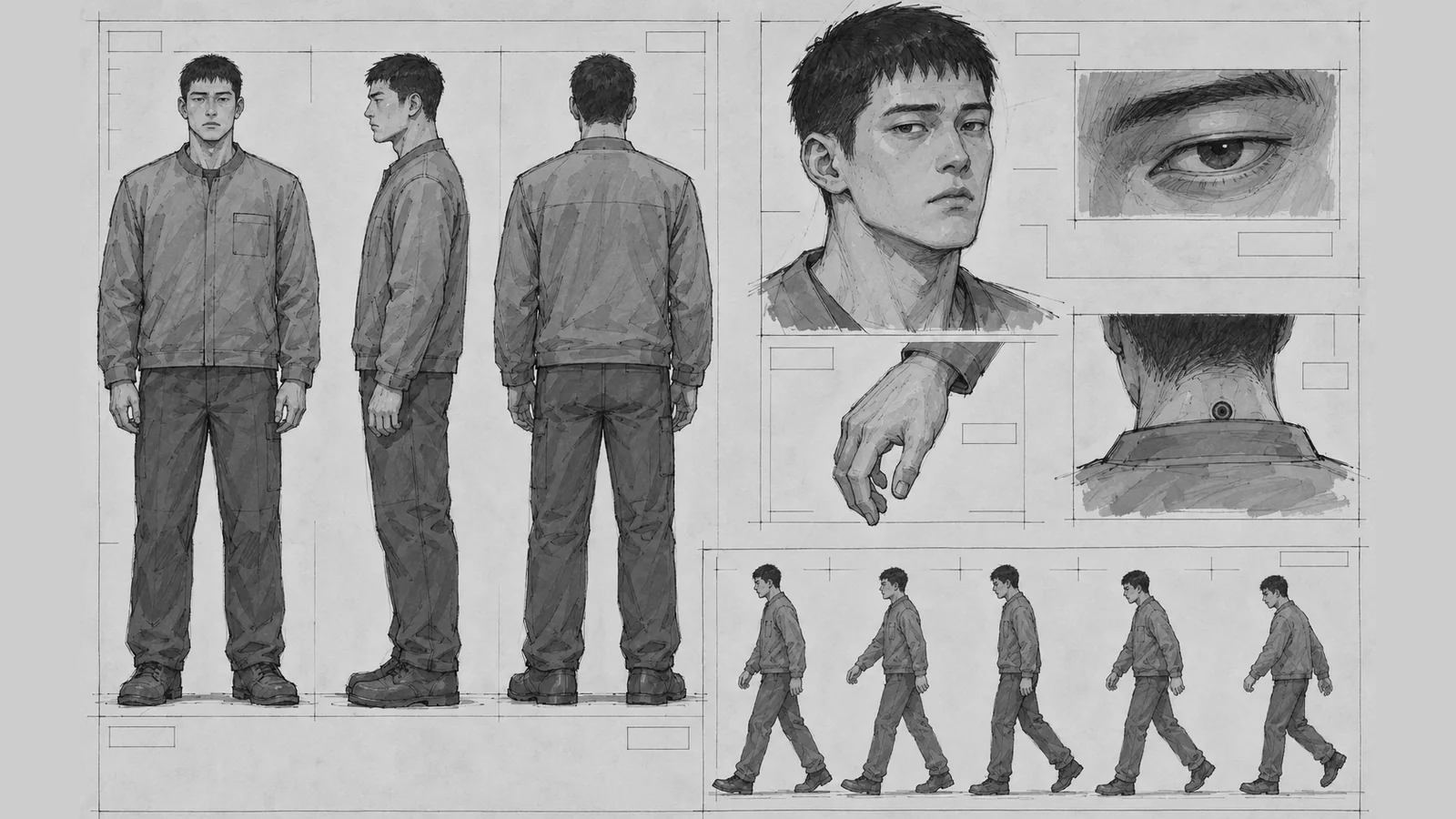 Isaac’s character sheet recreated in the same layout. From the turnaround to the port at the back of the neck, it is the baseline that makes the same person appear anywhere in the 143 shots.
Spaces — Recurring locations were fixed with space sheets, and when the act changed, I also attached the 6 ending shots of the previous act as continuity references. This is what makes the first scene of the next act look like the same place as the last space of the act before.
The Shots That Didn’t Come Out
A ready pipeline doesn’t mean every shot comes out. In one of the parallel sessions, only four of the 36 assigned shots came out. After the first few generated normally, prompts in the same queue repeatedly returned server errors, or finished without an error but produced no new image.
Discarded · Kept on record
- 32 shots with no response — I listed every failed shot number. That list tells the next session where to start again.
- No workarounds — Switching to an API key or a CLI fallback would mix results made through a different path into that session’s output. I kept a single generation path and left failures as failures.
- One shot passed with a shorter prompt — A shot that kept failing was rerun with a shortened prompt, and because the result matched the blocking of door, room, and sunset that the storyboard specified, I accepted it. I noted this in the record as “replaced with a short prompt” (짧은 프롬프트로 대체함).
- Two mis-copied images — I found the same image saved twice under different shot numbers, renamed the copies with
_wrong_duplicate, and moved them to the review folder.
Keeping the failure list mattered as much as collecting the shots that worked. On a 143-shot job, if you don’t know how far you got, you can’t start again.
Why I Split It into Stages
If you generate everything at once, you can’t trace what was accepted and why. Splitting the work into stages left a separate record of choosing, fixing, and remaking. When the next act starts, these records become its baseline as they are.