AI Content · 2026
AI Animation ‘Memory of the Chain’
An AI animation made by turning a screenplay into a storyboard written in the language of cinematography, locking style and composition rules to make shots with Midjourney and Nano Banana, and animating them with Veo 3 and Kling. The storyboard was revised six times.
OutcomeStoryboard v06: 5 scenes, 68 shots · previs: 75 shots · applied to the 2026 EBS AI Animation Project
1964, the boyhood of a miner sent to West Germany
Memory of the Chain — Scenes Seen by a Blue Marble («사슬의 기억 — 푸른 구슬이 본 풍경») is the story of Bongsik, a miner who left for Germany in 1964. It begins with scenes like a shabby room on the night before he leaves and the glass marbles he shares with his younger brother, and follows one person’s memories. It is episode 1 of a 10-episode omnibus that follows a marble through the hands of ten people over 62 years, and our four-person team submitted it to the 2026 EBS AI Animation Project. The marble is never handed on with care. It is lost, given away by mistake, taken, and left behind among a dead man’s belongings.
Thirteen days of production
| Date | Work |
|---|---|
| Mar 19–20 | Compiled 4 tone references; 8 concept exploration images in Midjourney |
| Mar 20 | Storyboard v01 (6 scenes, 55 shots) and prompts v01 |
| Mar 22–23 | Generated shots for scenes 1 and 2; storyboard v02–v04 (7 scenes, 80 shots) |
| Mar 25–26 | Generated 49 shots for scenes 3–7 back to back in 50 minutes; previs edit and render |
| Mar 27–28 | Storyboard v06 (5 scenes, 68 shots) and character sheet; previs revision |
| Mar 30 | Submitted the application |
| Stage | Tool | Input → output |
|---|---|---|
| Concept | Midjourney v7 | One line of subject matter → 8 drafts: hands and marble, a boy’s face, tone. The number of the cell picked from the four-image grid stays in the file name. |
| Storyboard | HTML document | Screenplay → for each shot: type, shot size, length, on-screen description, direction notes. The shot distribution is tallied automatically at the top of the document. |
| Prompt | Prompt bank | Storyboard card → English prompt in a five-block word order, plus fixed parameters |
| Shot images | Midjourney v7→v8, Nano Banana | Prompt → 72 shots at 1456×816. The 6 Gimpo Airport and in-flight shots with Nano Banana |
| Character sheet | Midjourney | Bongsik, the younger brother, and Hans: 3 characters × 9 seed prompts by situation |
| Video | Veo 3, Kling | Selected shots + camera directions → clips |
| Edit | Premiere Pro | Still previs of 75 shots, 3 min 45 s (compressed from 6 min 13 s), then clip editing |
From sentences to the language of cinematography
Even with a screenplay, not everyone pictures the same film from it alone. I first broke the story into scenes and shots and made a storyboard that records, for each shot, its type, shot size, length, on-screen description, and direction notes. Shot types were color-coded into eight kinds, including neutral, emotion, action, key, foreshadowing, and bridge, and each of the four sections of the story arc (기승전결: setup, development, turn, resolution) got a badge.
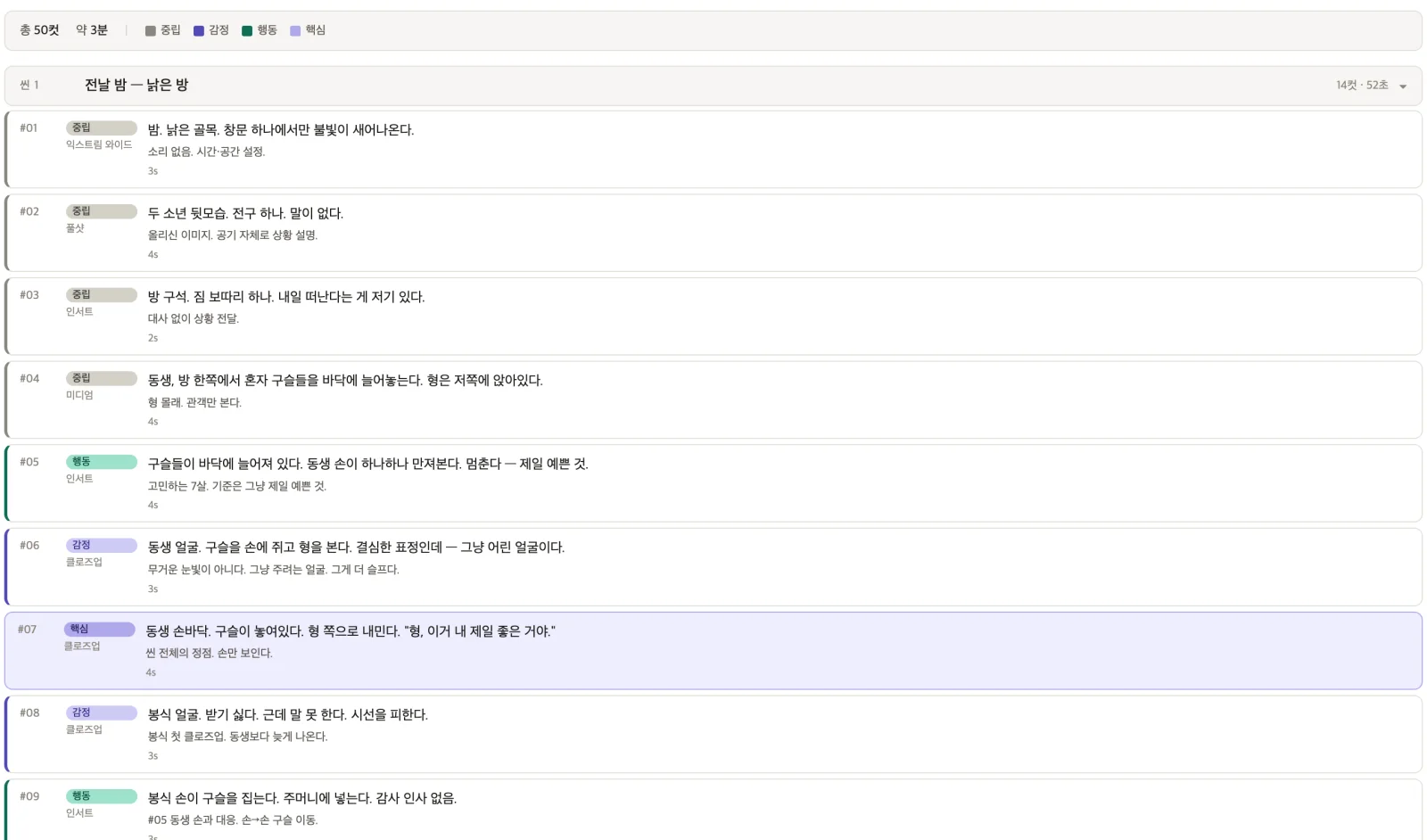 Scene 1 of the storyboard document. It goes down to direction notes like “#05 Mirrors the brother’s hand. Marble moves hand → hand” and durations in seconds. This table becomes the direct input for the generation prompts.
The storyboard was revised six times. In v02 I reordered scene 5 so that Hans hands over the marble first, changed the final line to “I lost it” (잃어버렸다), and planted the foreshadowing of a broken clock, which ties to episode 10, in scene 1. In v04 I added nine wide shots across all scenes. In v06, which came after rendering the previs once, I cut the hospital discharge and the return home, two whole scenes and 17 shots, and ended at the hospital.
| Version | Scenes · shots | Running time | What changed |
|---|---|---|---|
| v01 | 6 scenes, 55 shots | 187 s | First storyboard |
| v02 | 7 scenes, 61 shots | 207 s | Scene 5 order, ending line, clock foreshadowing |
| v03 | 7 scenes, 71 shots | 248 s | Split scenes 6 and 7 |
| v04 | 7 scenes, 80 shots | 277 s | Added 9 wide shots |
| v06 | 5 scenes, 68 shots | 231 s | Cut discharge and homecoming, end at the hospital, 7 bridge shots |
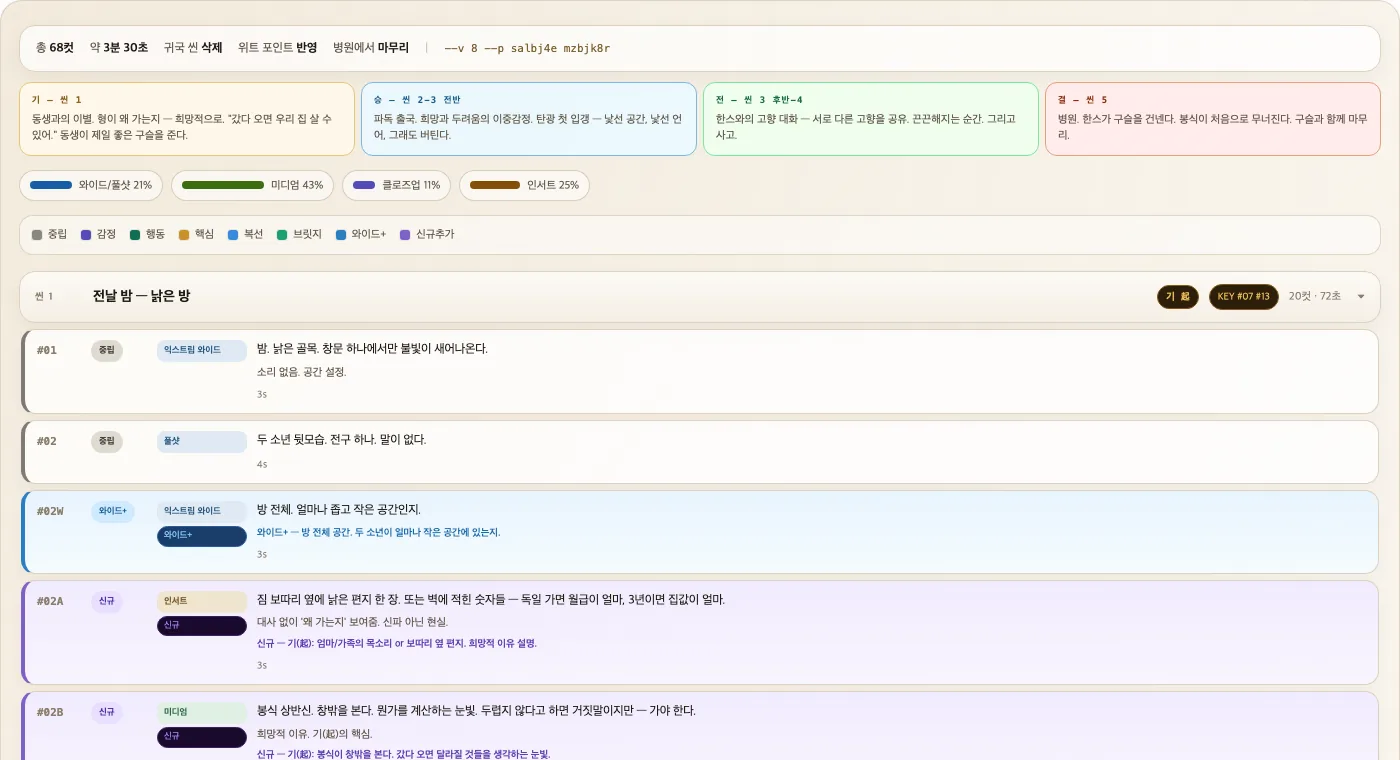 Top of v06. Wide and full shots 21%, medium 43%, close-up 11%, insert 25%, tallied automatically.
How a storyboard becomes a prompt
I fixed the prompt word order into five blocks: shot, angle, and composition; subject and gaze; place and period; lighting; and finally, style. The principles written in the document were two lines: “The further forward composition, angle, and lighting are placed, the better they are reflected” (구도·앵글·조명을 앞쪽에 배치할수록 반영률 높음) and “Place style keywords at the end of the sentence” (스타일 키워드는 문장 끝에 배치).
Close-up, eye level, rule of thirds left, negative space right, Korean miner’s face in three-quarter profile, flat quiet expression, eyes left and still, coal mine tunnel in 1960s West Germany, headlamp directly above, coal dust on every surface, harsh top light carving deep shadows on a still face, 2D animation style cel shading
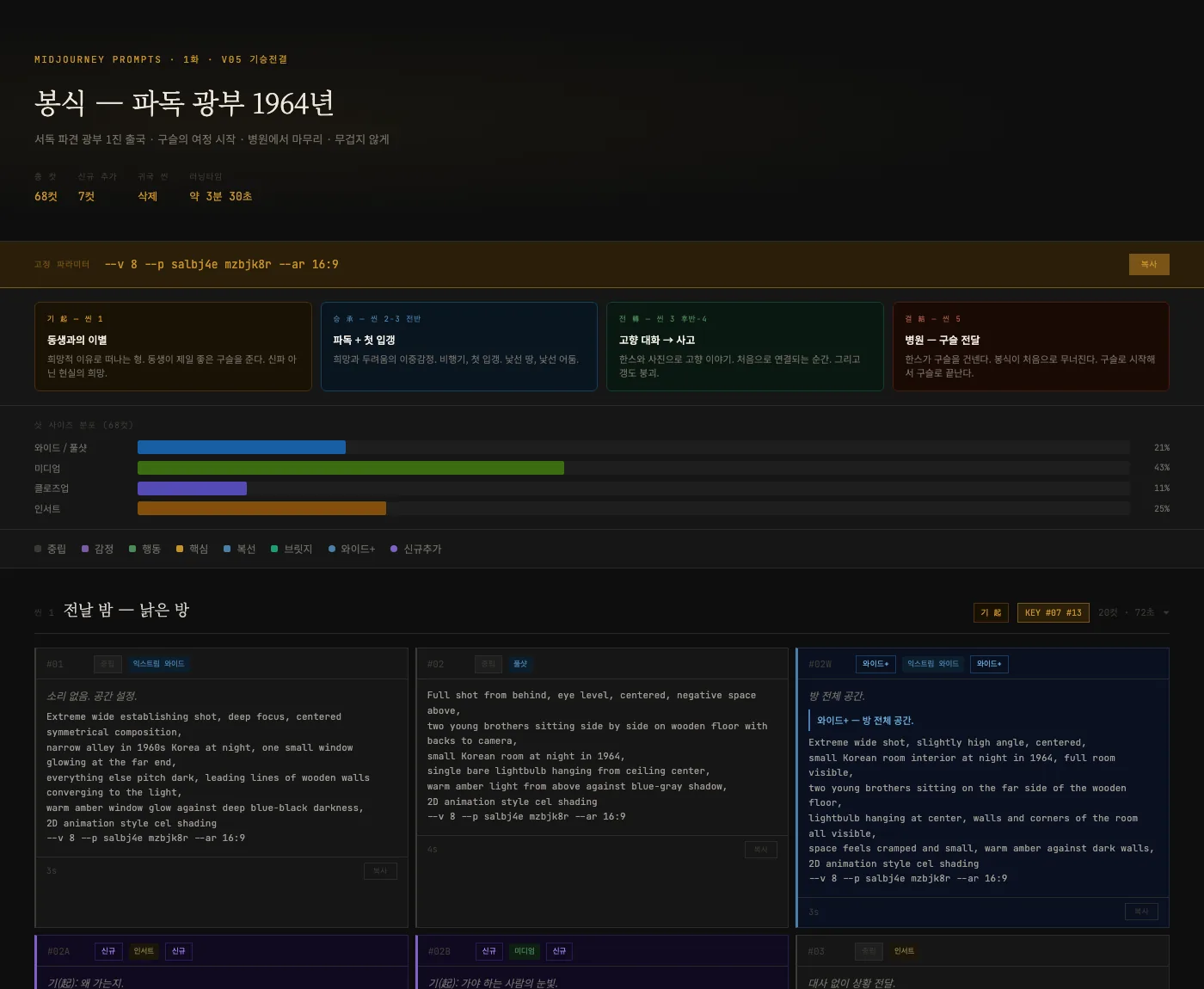 Prompt bank v06. The storyboard card and the prompt sit on one card, so you can find right away which sentence each shot came from.
For 68 shots to hold together as one film
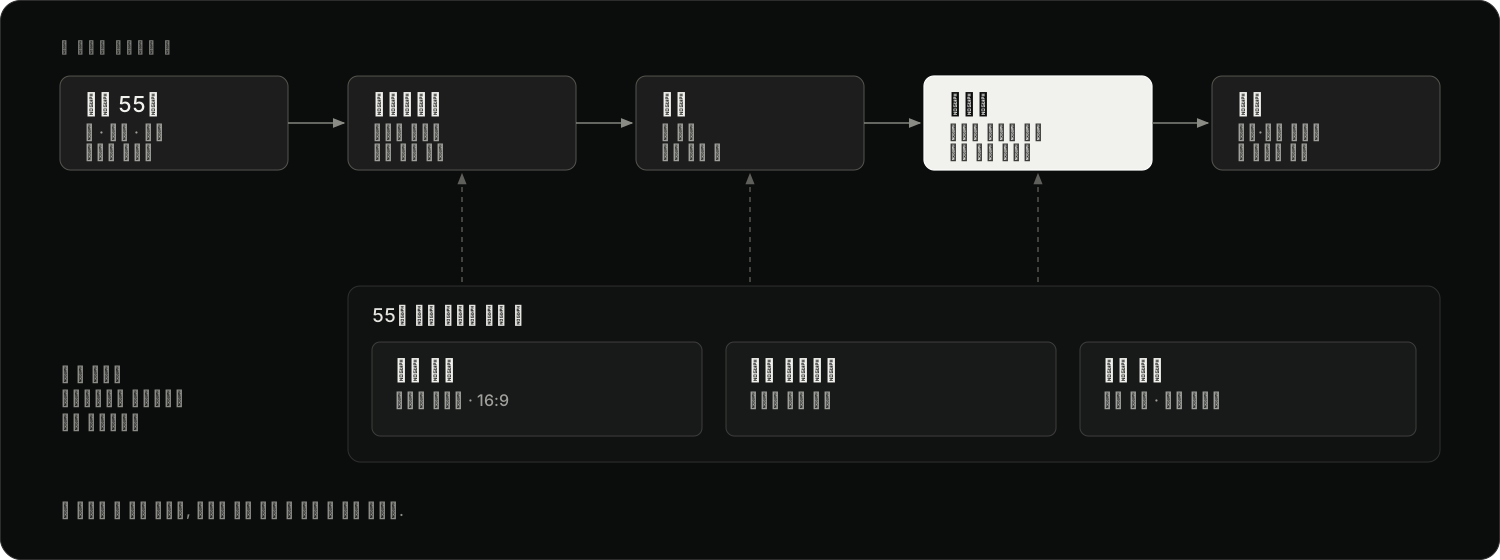 The path one shot takes, and the three fixed rules applied across all shots.
When you make scenes with AI, the first thing to break is continuity between one shot and the next. I held on to three things.
- Locked style — I put
2D animation style cel shadingat the end of every shot’s sentence, and set two style profile codes and a 16:9 aspect ratio as fixed parameters. The ink-and-watercolor tone tested on the first day was replaced with cel shading within a day. - Accumulating references — From the second half of scene 2 on, I fed the same two style reference images into every shot, and added a third reference for the coal mine scenes. The further the work went, the more got locked.
- Relationships held by composition — Bongsik sits on the left third with negative space to the right; Hans is framed the opposite way. Because their placement and negative space are always on opposite sides, the two face each other in whatever order the shots are cut.
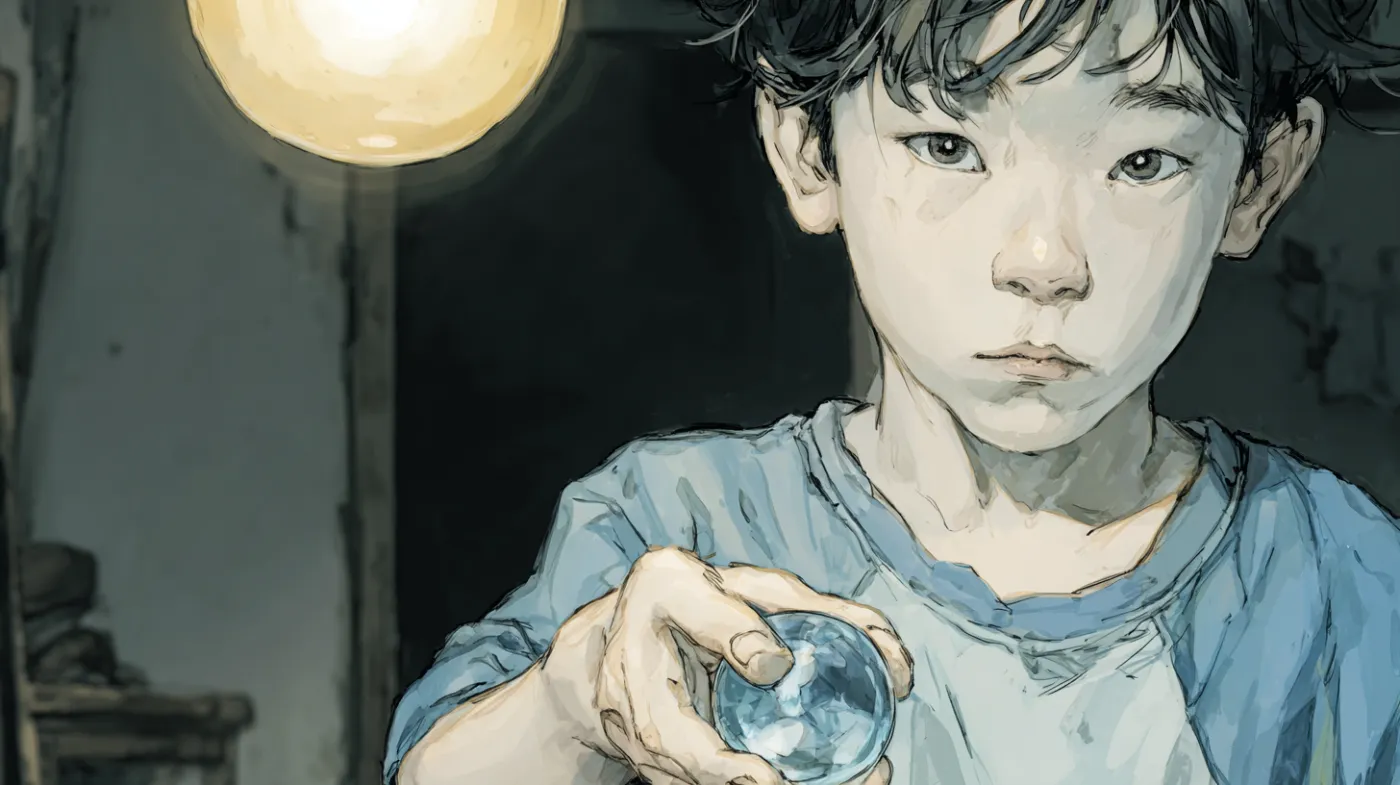
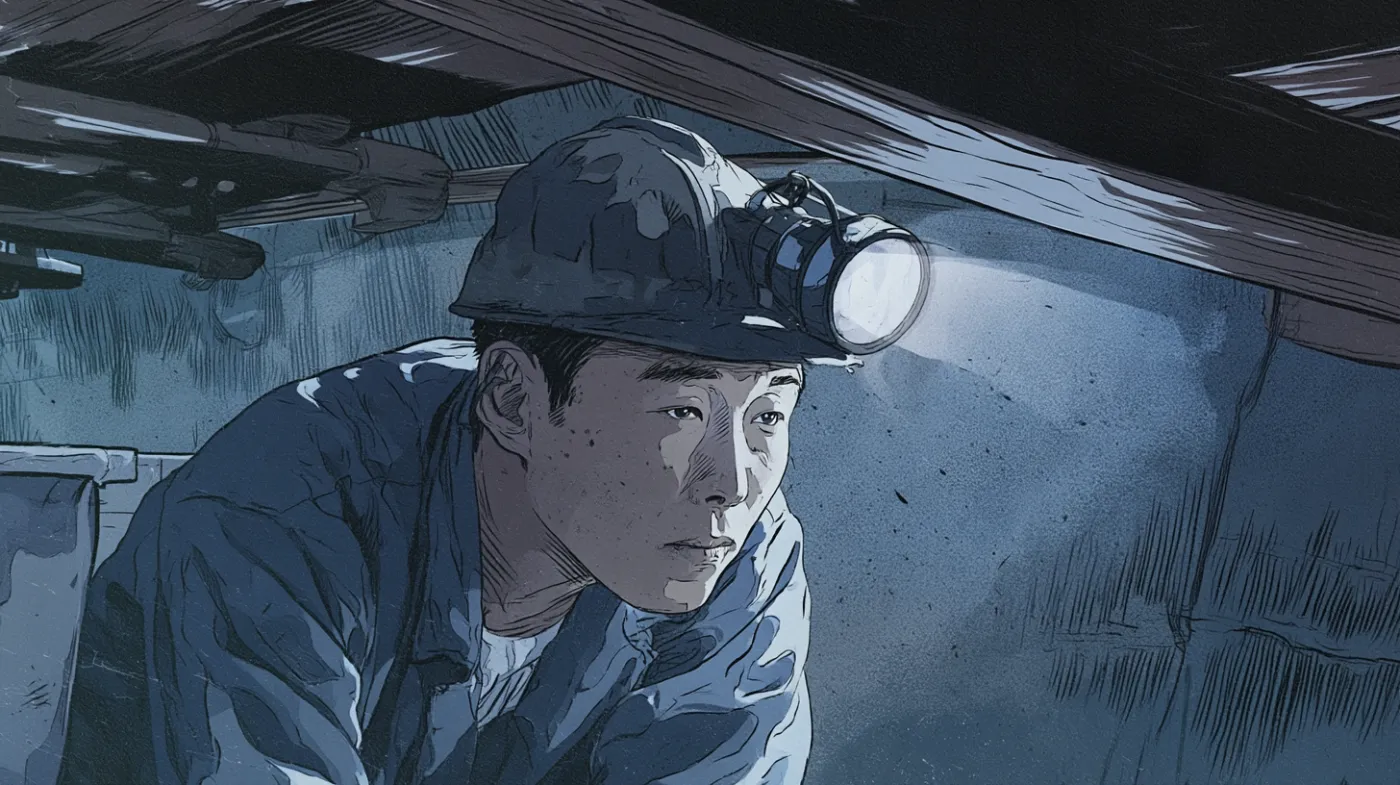
The shabby room in scene 1 and the underground coal face in scene 3. The places and the character’s age differ, but both sit within the same cel-shaded tone.
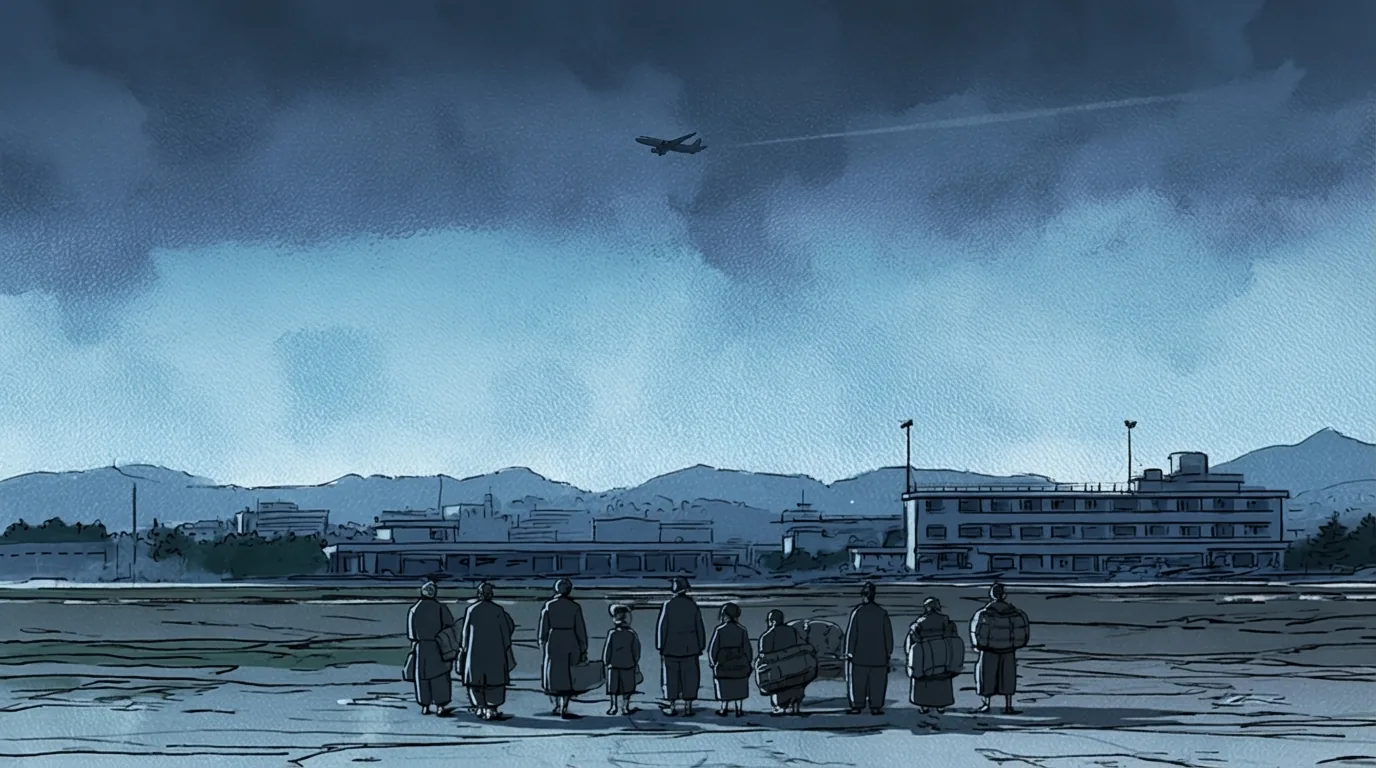 Scene 2 #15. The 6 shots in this scene, with Gimpo Airport and a propeller plane in 1964, were made with Nano Banana.
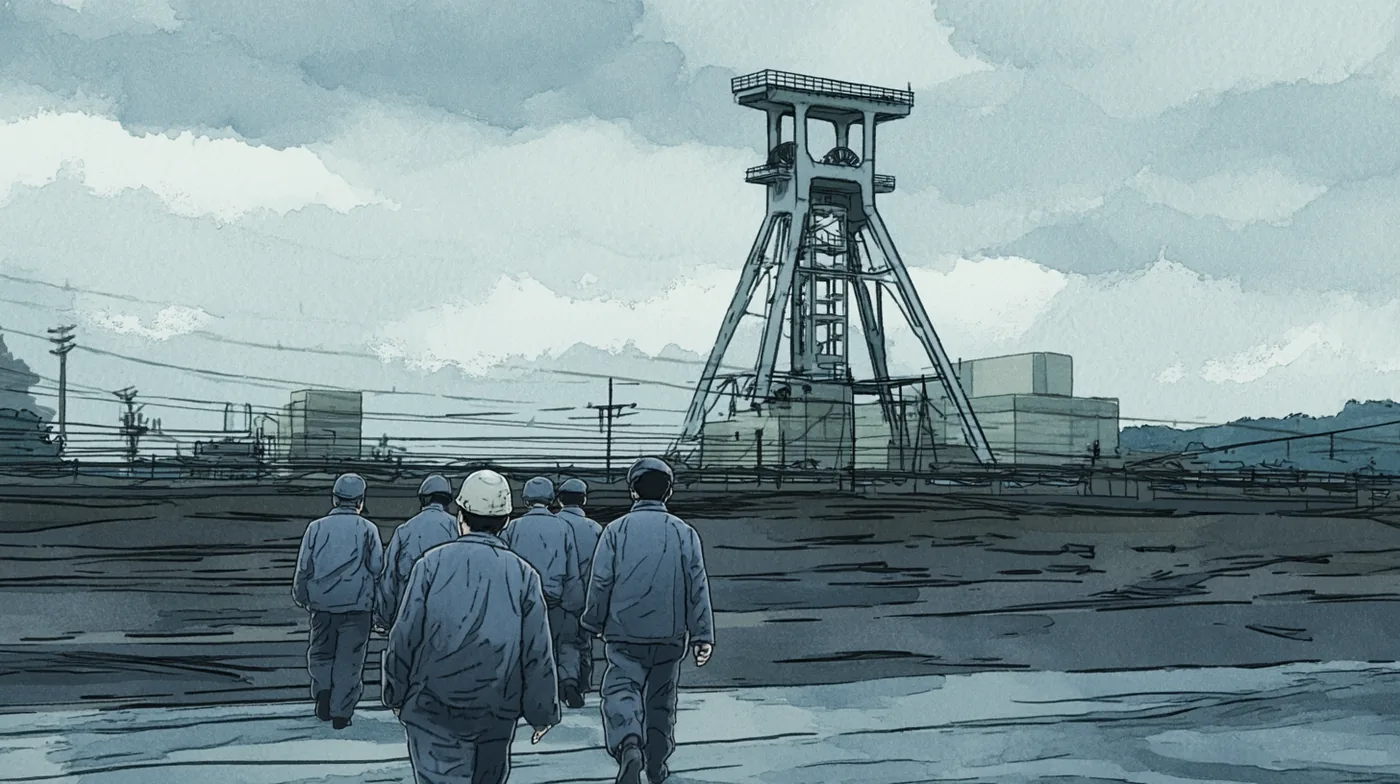 Scene 3 #23W. One of the nine wide shots added across all scenes in v04.
On the character sheet, alongside the three characters’ ages, builds, hair, expressions, and per-scene costumes, I wrote a “character key.” Bongsik: “Expressionless by default. But his hands lie.” (무표정이 기본값. 근데 손은 거짓말을 한다.) The younger brother: “His rule for picking marbles is clear — the prettiest one.” (구슬 고를 때 기준은 명확하다 — 제일 예쁜 것.)
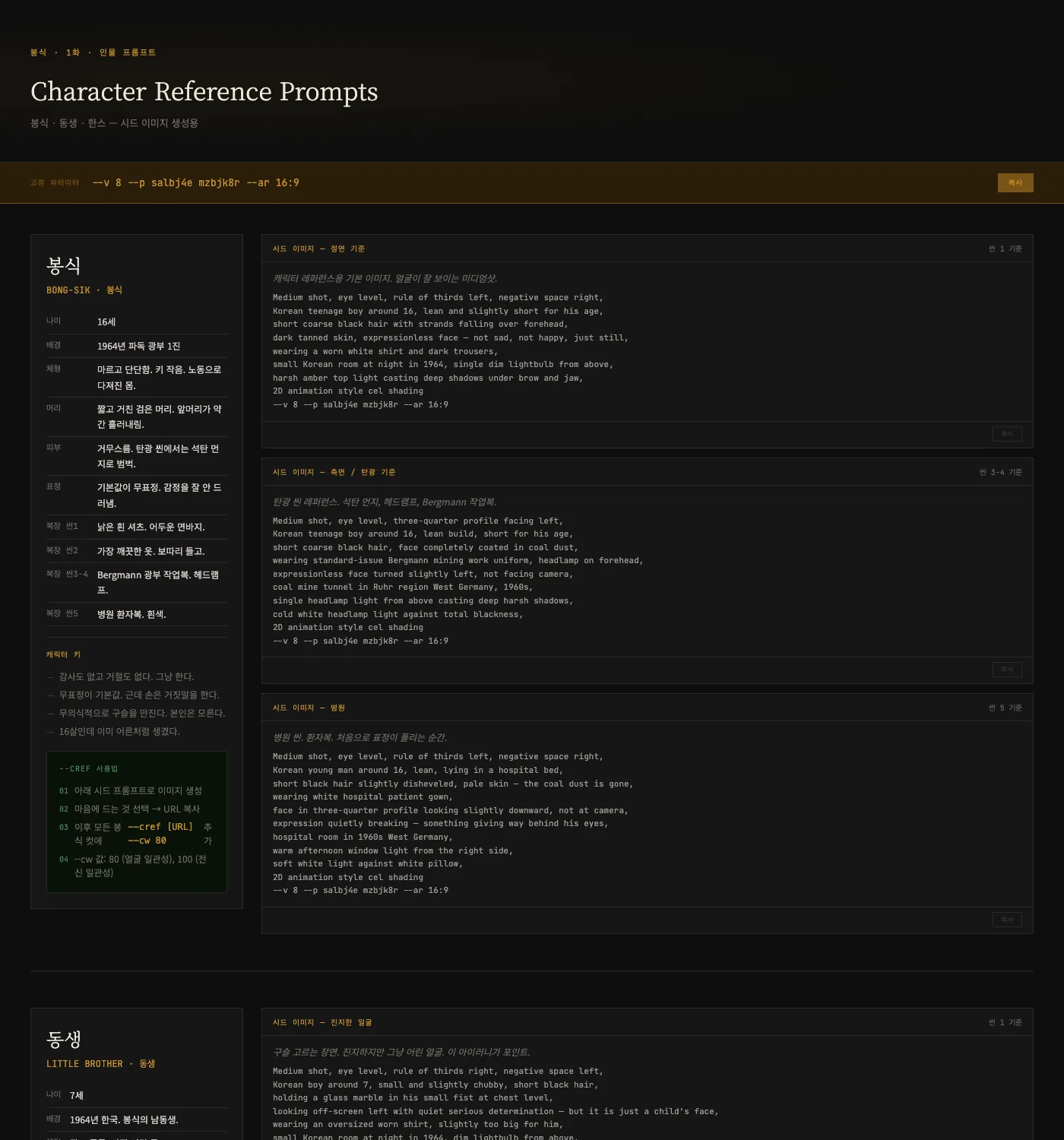 Character sheet v01. A table for each character and 9 seed prompts by situation.
Finishing in the edit
I tracked shots by scene-shot number, like s01c01, and when one shot produced several candidates I kept them side by side as b-cuts. I laid the 75 selected shots into Premiere Pro as stills to build the previs first. The first timeline ran 6 min 13 s; I shortened shot lengths across the board to bring it to 3 min 45 s, then made the video clips with that rhythm as the reference. The finished film at the top of this page is the result.
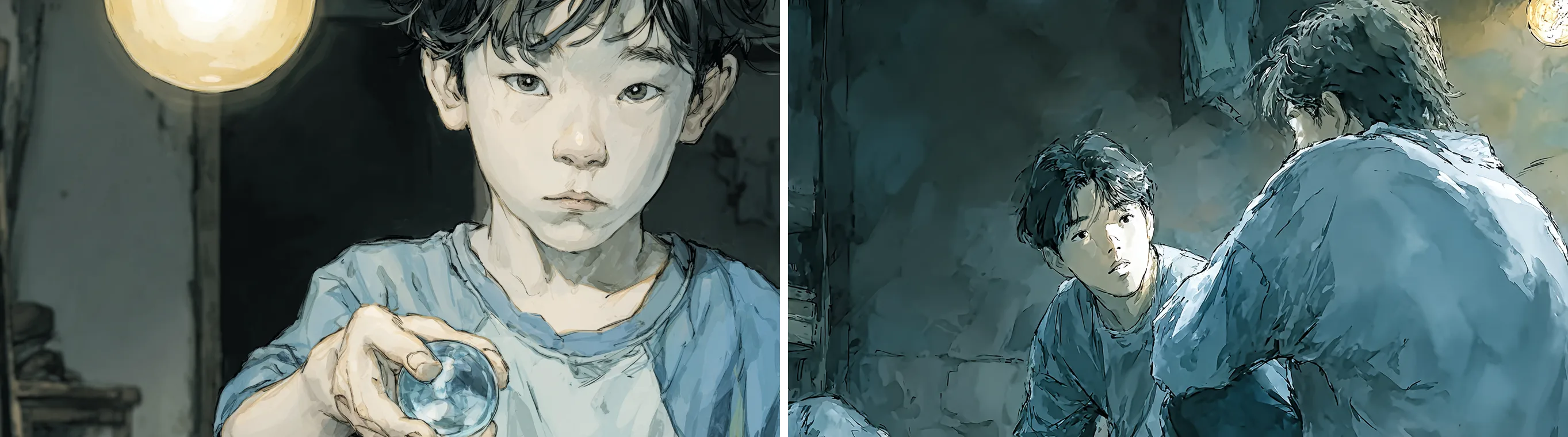 Takes a and b of the same shot. The storyboard called for “a face holding the marble and looking at his older brother,” so the choice came down to which fit the story: the one that shows the distance between the two, or the one that leaves only the face.
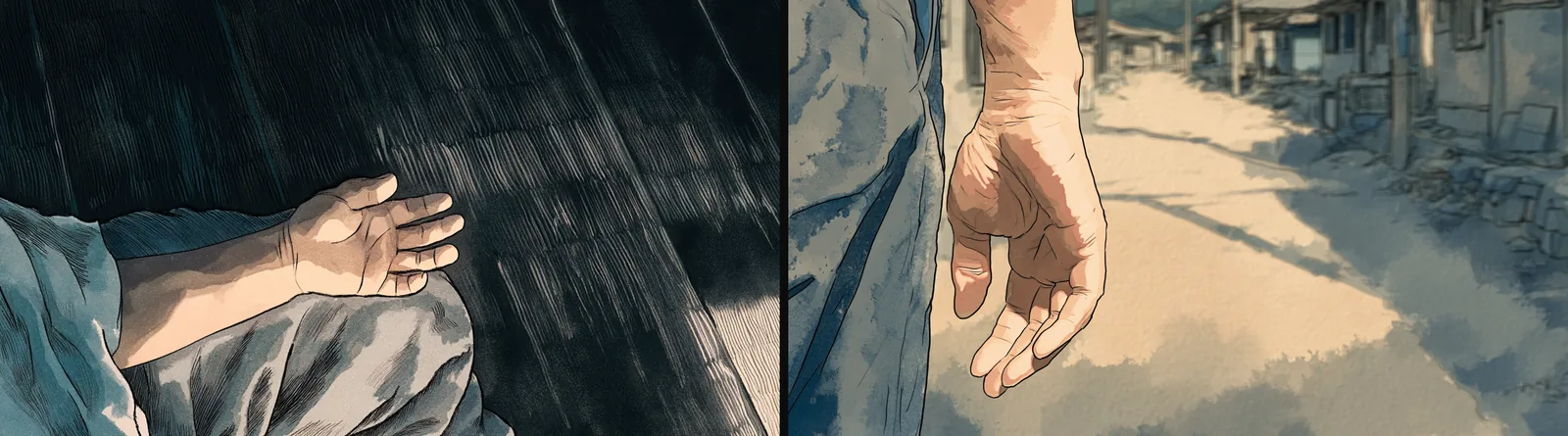 Two shots the storyboard note marked “Scene 1 key ② — mirrors Bongsik’s empty hand at the ending.” The hand in the first scene and the empty hand at the end face each other at the same angle.
What I dropped
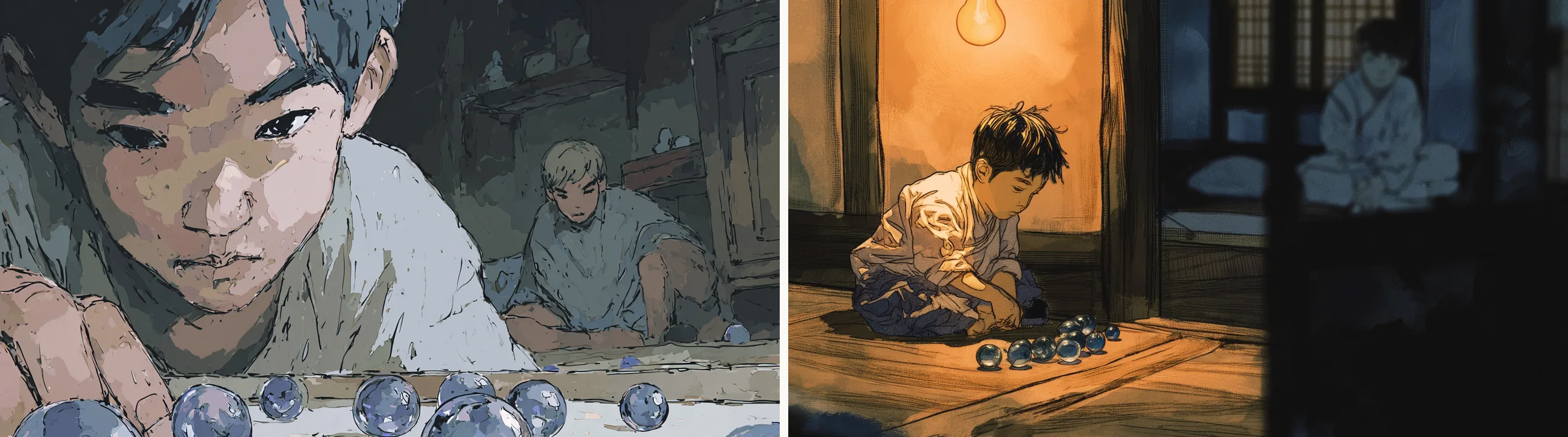
Scene 1 #04. The rejected candidate is on the left.
In the storyboard, #04 was neutral · medium shot, with the direction “The younger brother lays out marbles alone in one corner of the room; the older brother sits over on the other side.” The left candidate broke two things. The face filled the frame, turning the medium shot into a close-up, and with that the distance between the two, the reason this scene exists, disappeared.
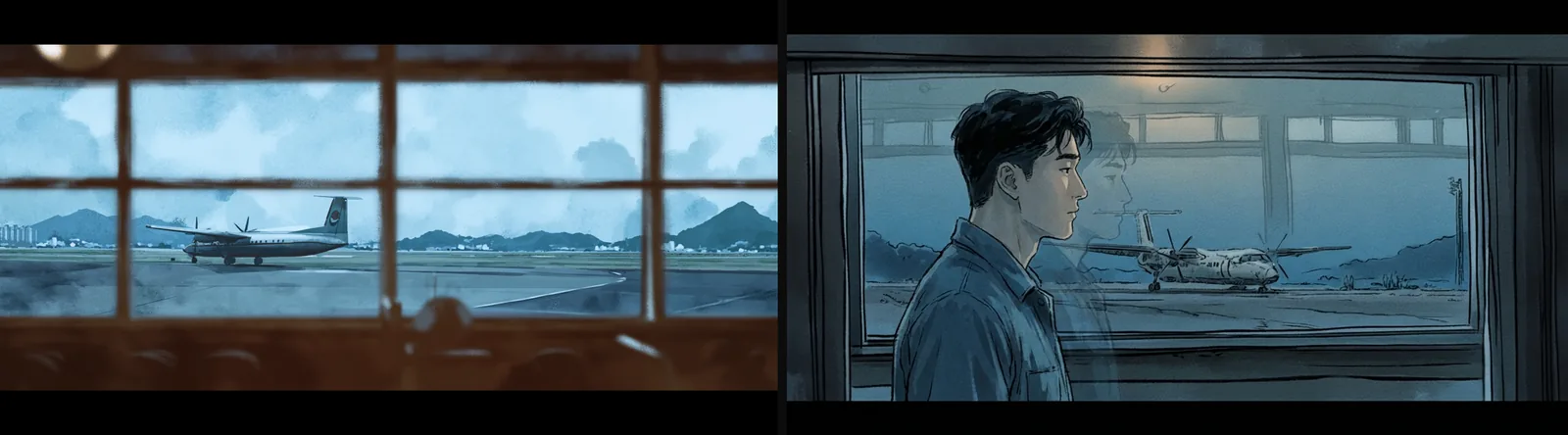
Scene 2 #18. Left is the Midjourney candidate; right is the shot remade with Nano Banana and selected.
The reasons for discarding also stayed in the file names: shots where a marble that should not be on screen got generated, like s06c51_구슬없애야 (“remove the marble”), and shots marked for rework by writing in the wanted angle, like 한스 시점오버더숄더 (“Hans POV over-the-shoulder”). The biggest cut happened at the document level. The next day, in v06, I removed all 17 shots of scenes 6 and 7, which had already been generated and placed in the edit.
There was one criterion: does it stay within the shot and style the storyboard specified? Whenever a splice between shots gave itself away, that was always the reason.
Production gallery
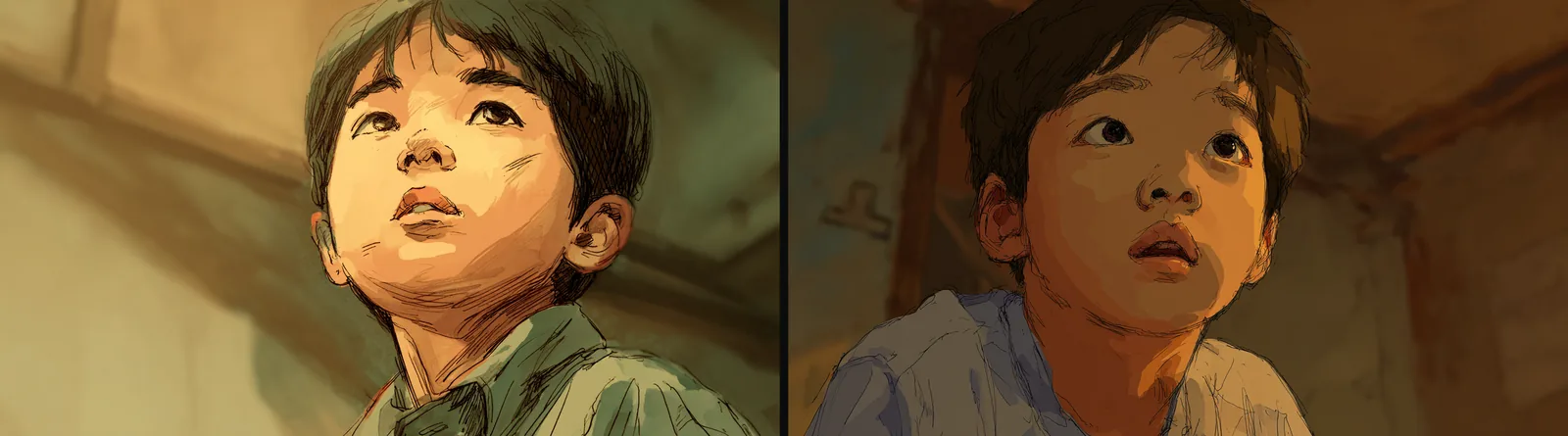 Concept exploration. The only pair where two cells were picked from a single four-image grid. The cell number at the end of the file name is the trace of the choice.
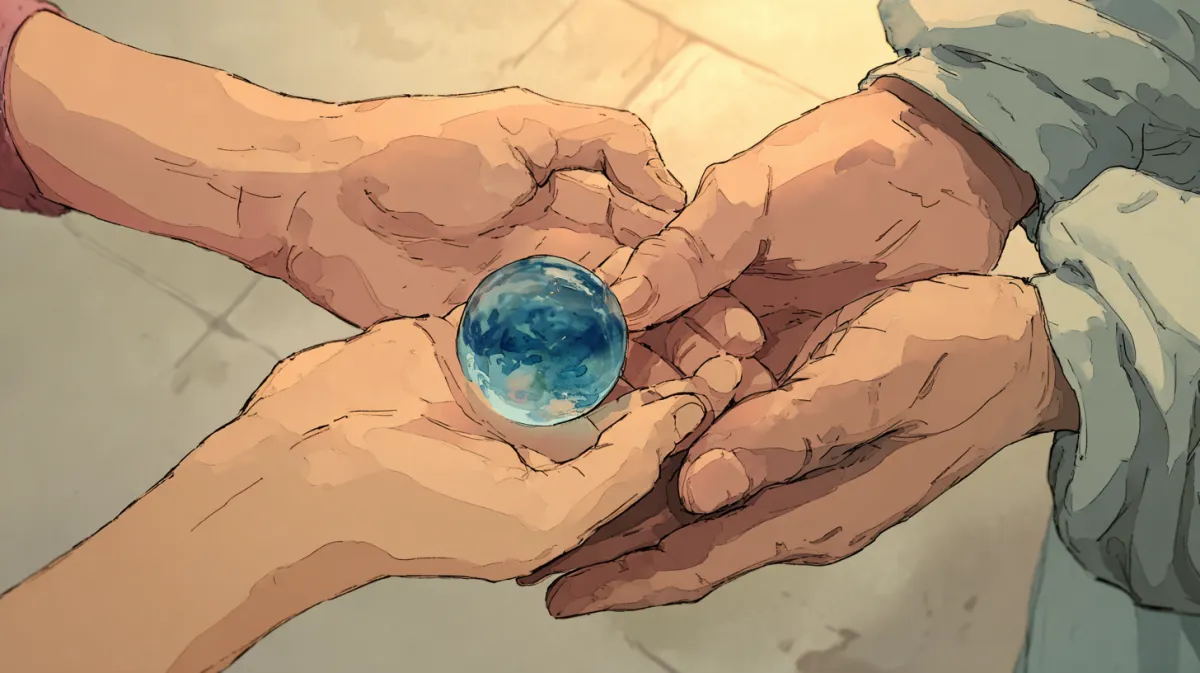 Concept exploration. An image that tested tone with a single subject, the “blue marble,” before the main production.
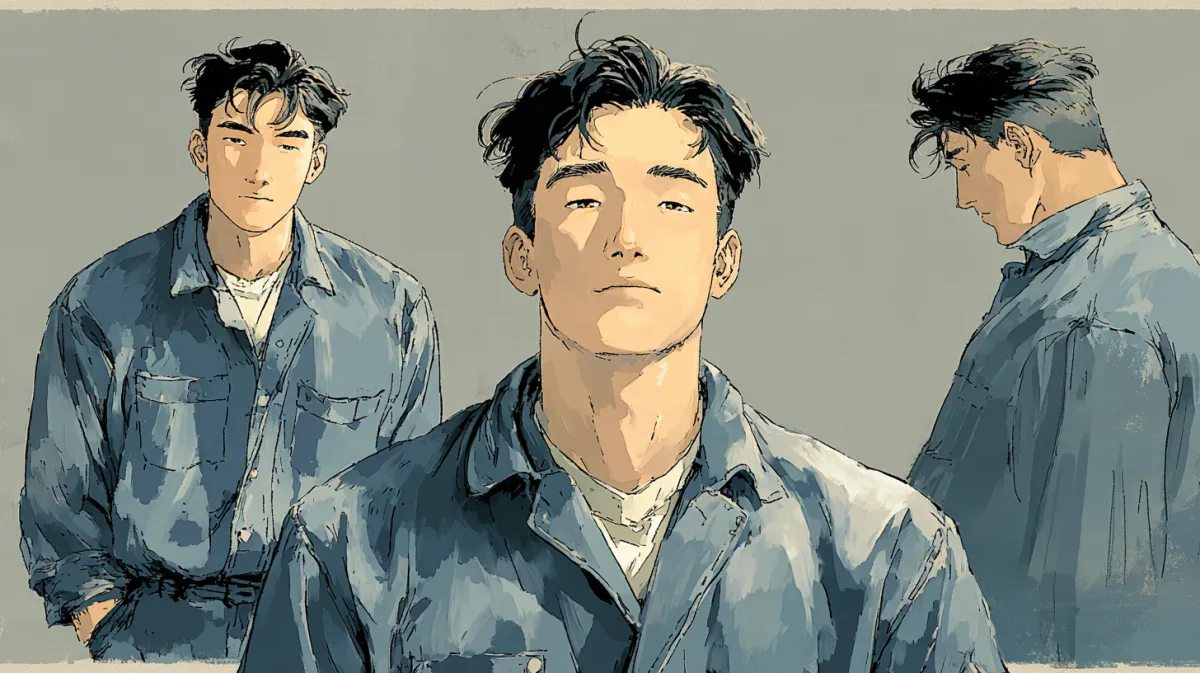 Character reference image. Following the character sheet’s “expressionless face, not sad, not happy” guideline, no expression was set as the default.
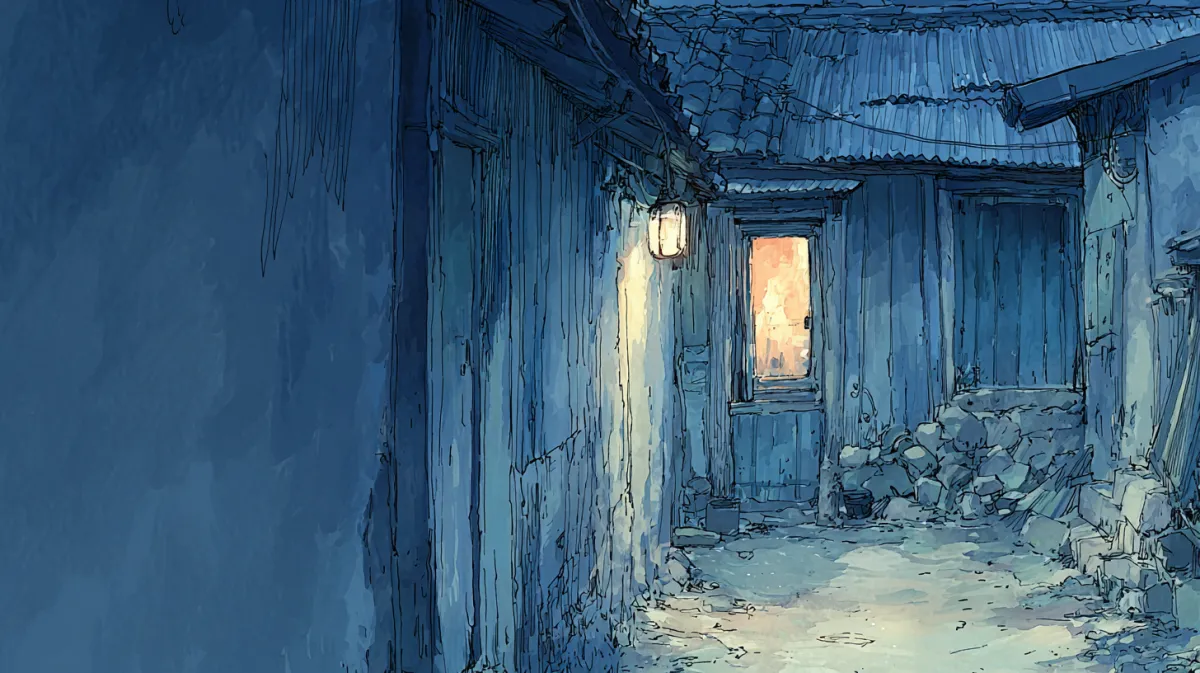 Scene 1 #01, neutral · extreme wide. The setting where the story begins, with only “one small window glowing warm” at the end of a dark alley.
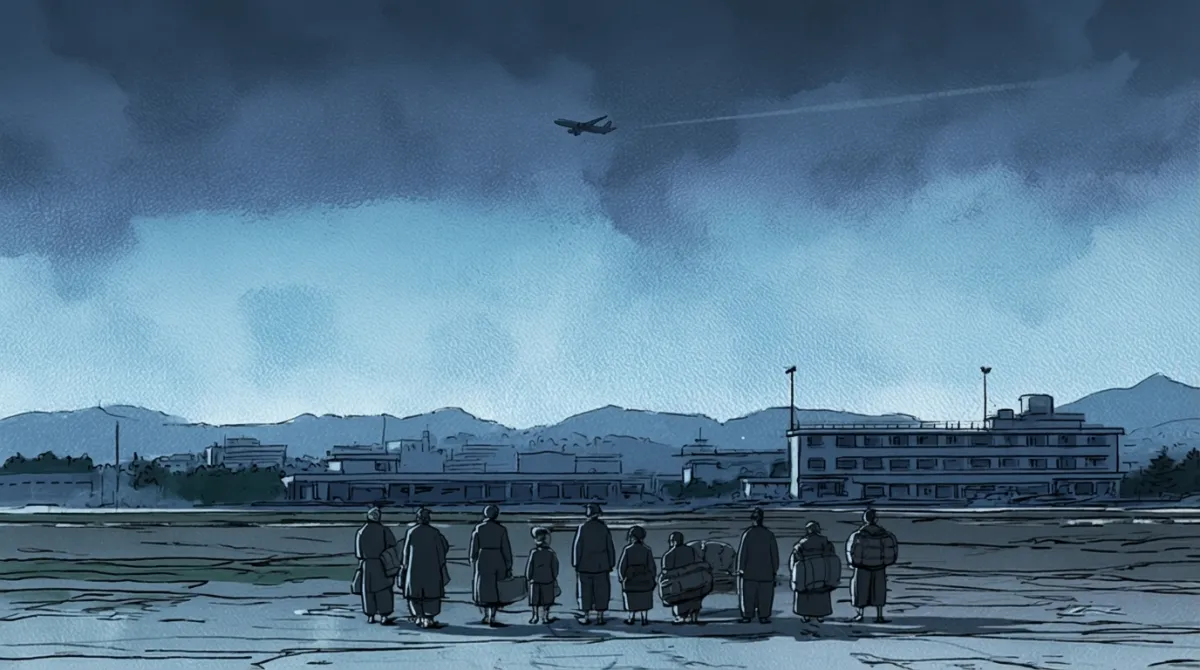 Scene 2 #15, neutral · extreme wide. Framing 1964 Gimpo Airport in “pre-dawn blue light” carries over the blue-gray of the night before.
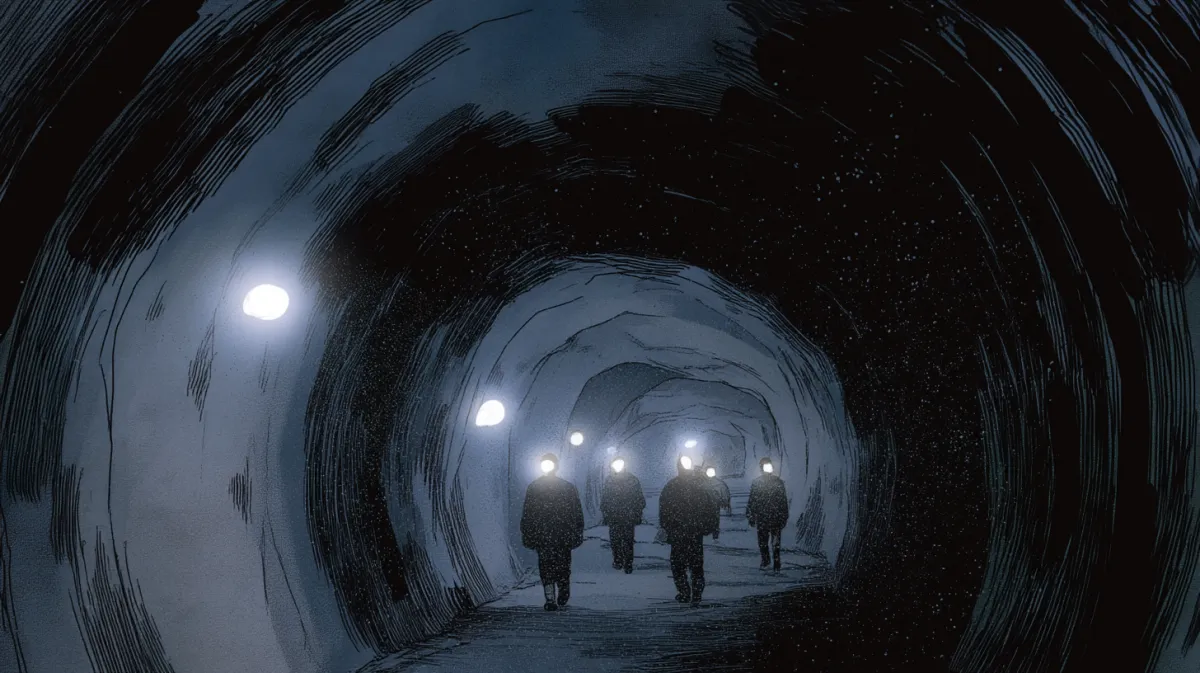 Scene 3 #25, neutral · medium. The single line “headlamp beams cutting through darkness” set the coal face as darkness lit only by headlamps.
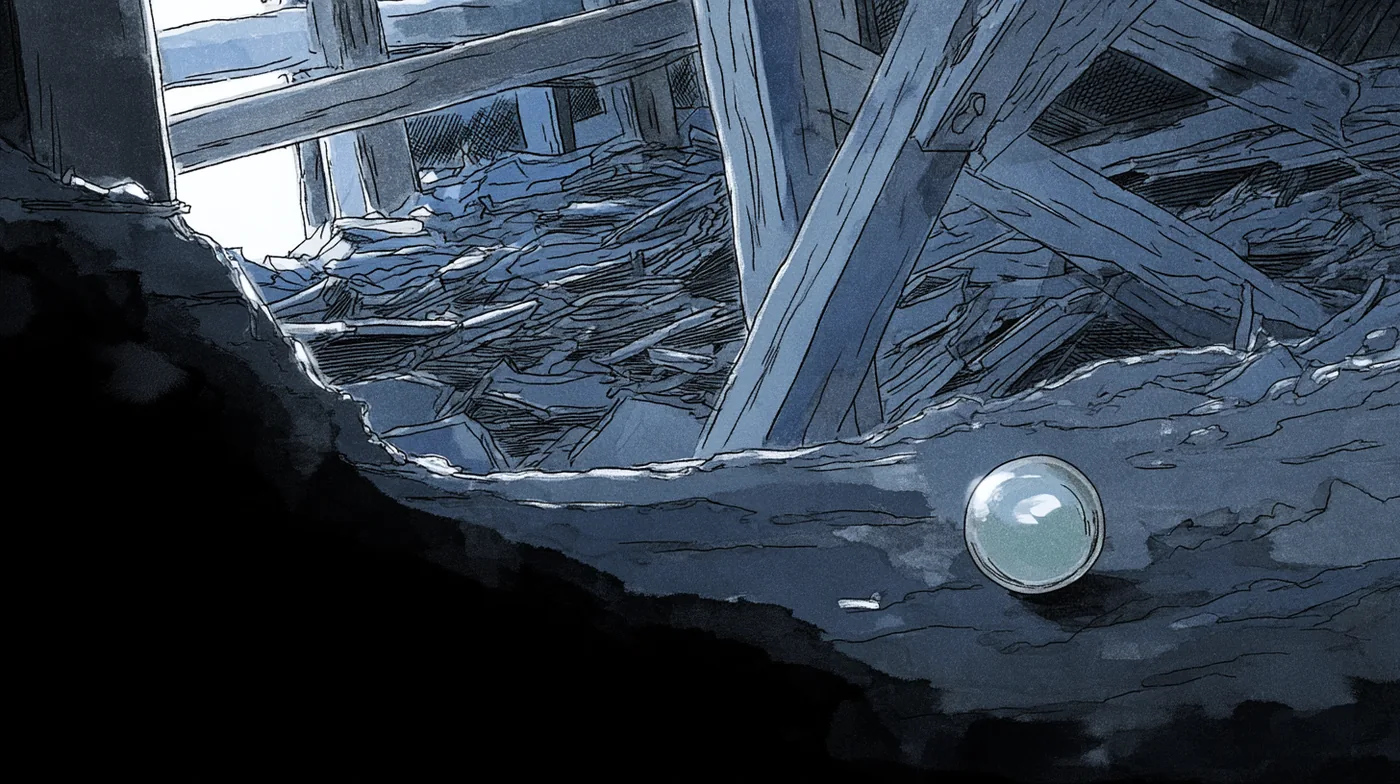 Scene 4 #41, insert. The turning point of episode 1, where the marble vanishes into the earth.
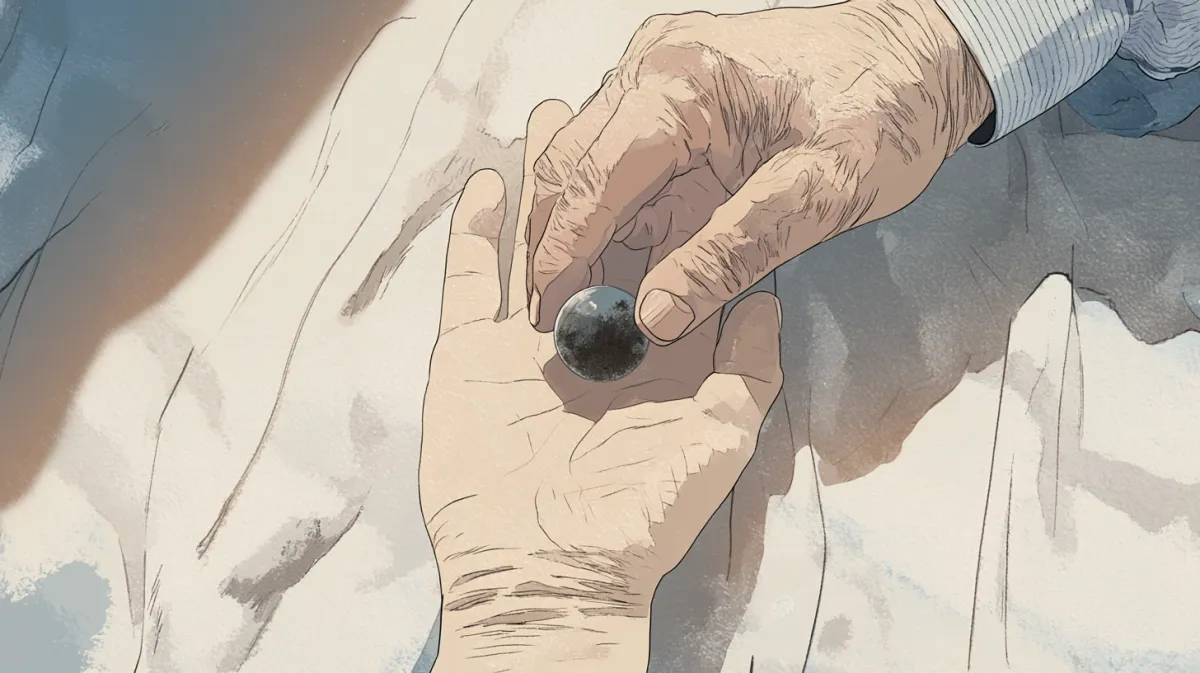 Scene 5 #47, action · close-up. The shot where the marble lost in the tunnel comes back “covered in dried dark earth.” The white afternoon color of the hospital was set here.